8.27 Personal Identification Number (Pin)
Fragment manuala — str. 423–424

📋 Tekst do skopiowania (OCR/wyszukiwanie)
PERSONAL IDENTIFICATION NUMBER (PIN)                                                                                         8.27
CHANGING THE PIN

The Personal Identification Number (PIN) is a number that can
be used to disarm the security system. Use the PIN in case
the assigned fob is misplaced, fails or if the fob cannot
communicate with the motorcycle because of electromagnetic
interference.
A PIN is a five-digit number (1-9).

Changing the PIN
The rider can change the PIN at any time.
• Ignition must be ON                                                  1.    Touch screen
• Fob must be present                                                  2.    Keypad
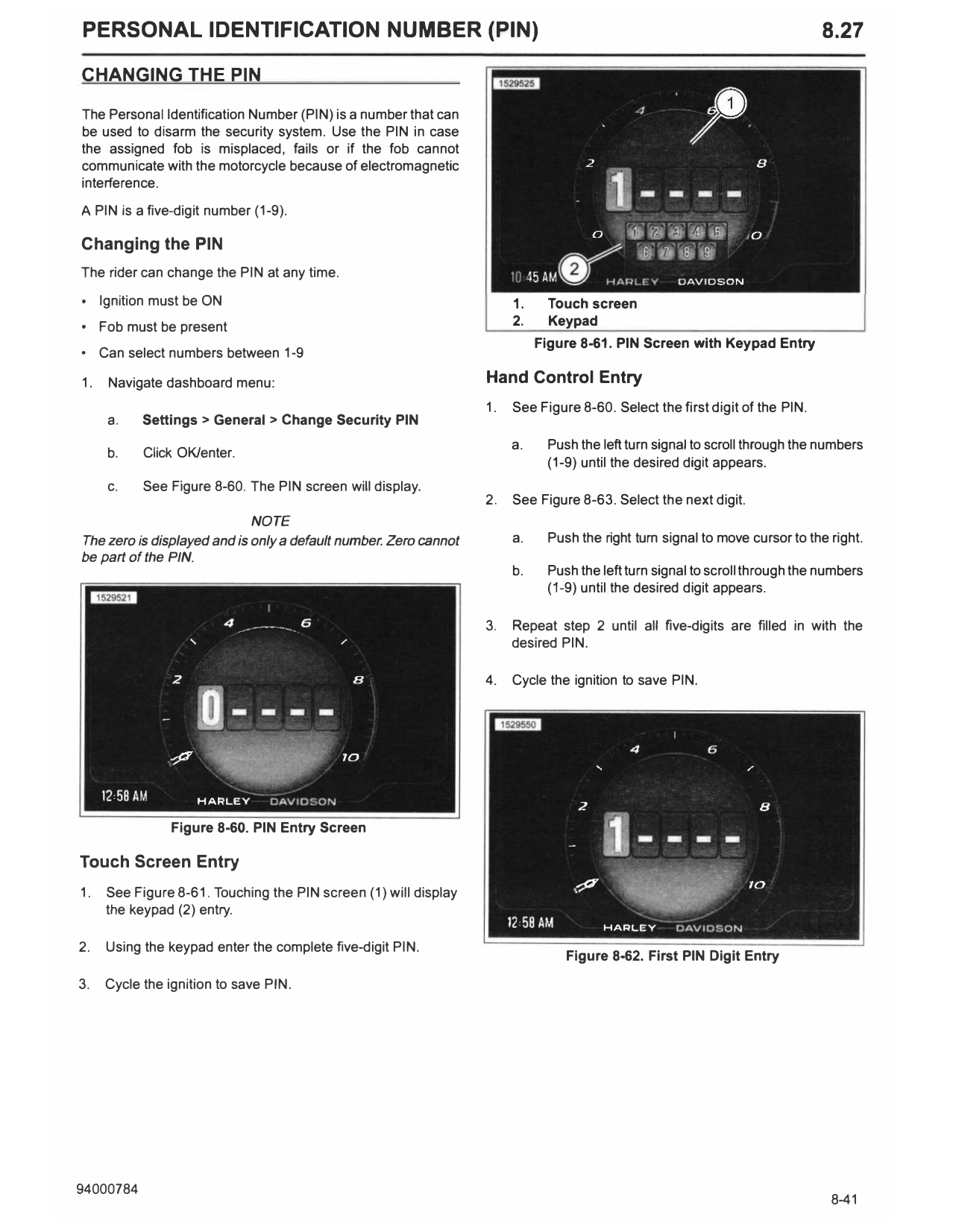
                                                                            Figure 8-61. PIN Screen with Keypad Entry
• Can select numbers between 1-9

1.   Navigate dashboard menu:                                     Hand Control Entry
                                                                  1.   See Figure 8-60. Select the first digit of the PIN.
     a.    Settings> General> Change Security PIN
                                                                       a.    Push the left turn signal to scroll through the numbers
     b.    Click OK/enter.
                                                                             (1-9) until the desired digit appears.
     c.    See Figure 8-60. The PIN screen will display.
                                                                  2.   See Figure 8-63. Select the next digit.
                             NOTE
The zero is displayed and is only a default number. Zero cannot        a.    Push the right turn signal to move cursor to the right.
be part of the PIN.
                                                                       b.    Push the left turn signal to scroll through the numbers
                                                                             (1-9) until the desired digit appears.

                                                                  3.   Repeat step 2 until all five-digits are filled in with the
                                                                       desired PIN.

                                                                  4.   Cycle the ignition to save PIN.

                Figure 8-60. PIN Entry Screen

Touch Screen Entry
1.   See Figure 8-61. Touching the PIN screen (1) will display
     the keypad (2) entry.

2.   Using the keypad enter the complete five-digit PIN.
                                                                                Figure 8-62. First PIN Digit Entry

3.   Cycle the ignition to save PIN.

       Figure 8-63. Moving Cursor to Next Digit