8.26 Security System Activation
Fragment manuala — str. 422
📋 Tekst do skopiowania (OCR/wyszukiwanie)
SECURITY SYSTEM ACTIVATION                                                                                                 8.26
ACTIVATION                                                                                    NOTE
                                                                 • Choose correct fob type. Choosing incorrectly at beginning
Activation consists of assigning a fob to the system and            of the process will result in a failure to assign the fob. This
entering an initial PIN.                                            can be mistakenly diagnosed as a bad fob or SCM.
                                                                 • When assigning a fob, keep the fob within 3 ft (1 m) of
                             NOTE
                                                                    vehicle seat.
If the fob is lost or inoperable, the PIN allows the owner to
disarm the system. See PERSONAL /DENT/FICATION
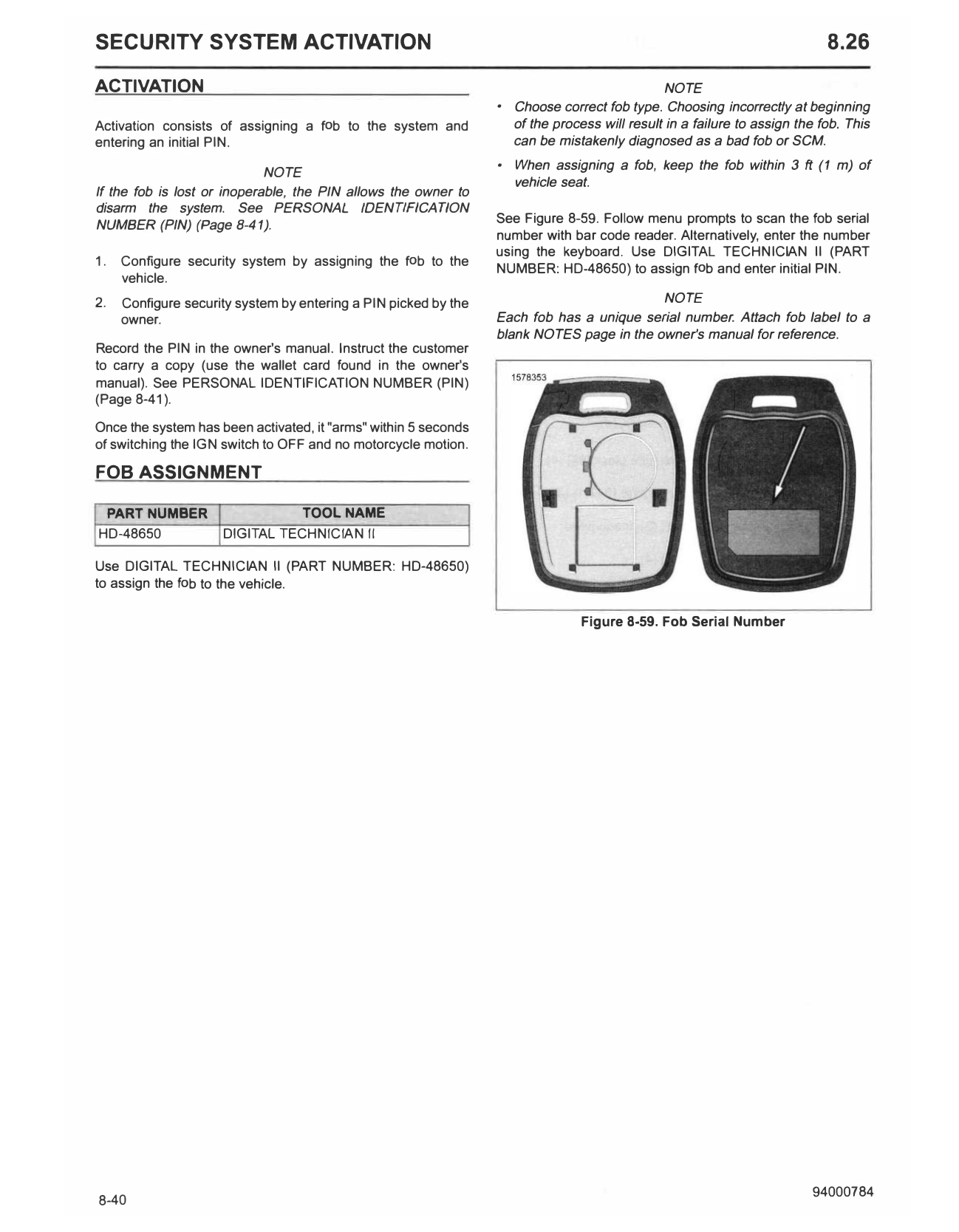
NUMBER (PIN) (Page 8-41).                                        See Figure 8-59. Follow menu prompts to scan the fob serial
                                                                 number with bar code reader. Alternatively, enter the number
                                                                 using the keyboard. Use DIGITAL TECHNICIAN II (PART
1.   Configure security system by assigning the fob to the
                                                                 NUMBER: HD-48650) to assign f ob and enter initial PIN.
     vehicle.
2.   Configure security system by entering a PIN picked by the                            NOTE
     owner.                                                      Each fob has a unique serial number. Attach fob label to a
                                                                 blank NOTES page in the owner's manual for reference.
Record the PIN in the owner's manual. Instruct the customer
to carry a copy (use the wallet card found in the owner's
manual). See PERSONAL IDENTIFIC ATION NUMBER (PIN)
(Page 8-41 ).

Once the system has been activated, it "arms" within 5 seconds
of switching the IGN switch to OFF and no motorcycle motion.

FOB ASSIGNMENT

 PART NUMBER                      TOOL NAME
HD-48650             DIGITAL TECHNICIAN II

Use DIGITAL TECHNICIAN II (PART NUMBER: HD-48650)
to assign the fob to the vehicle.

                                                                               Figure 8-59. Fob Serial Number