3.10 Tire Pressure Monitoring System (Tpms)
Fragment manuala — str. 99–100
📋 Tekst do skopiowania (OCR/wyszukiwanie)
TIRE PRESSURE MONITORING SYSTEM (TPMS)                                                                                              3.10
GENERAL                                                              •     Install tire pressure sensor so valve stem aims toward
                                                                           right side of wheel when complete.
Sensors mounted in each tire measure and report tire pressure
data to the BCM. T he BCM monitors the data and displays             2. Install new valve stem and sensor in wheel.
each tire pressure both in the Boom! Audio system information
screen as well as in the odometer trip display. See the electrical          a.      Install tire pressure sensor (2).
diagnostic manual for more information and diagnostics.
                                                                            b.      Install new O-ring (3) on new valve stem (5).
                           NOTE
• Do not use the TPMS as a pressure gauge when adding or                    c.      Install new valve stem.
  removing air from a tire. Sensor transmissions vary with
  conditions and may not react immediately when adding or                   d.      Install new screw (1).
  removing air from the tire. Over-inflation or under-inflation
  can result.                                                               e.      While holding valve stem aligned with wheel, tighten.
•     The TPMS sensor will not communicate pressures above                          Torque: 23-27 in-lbs (2.6-3 N·m) Valve stem screw
      34�14 kPa (50-60 psi) depending on altitude.                          f.      Do not attempt to rotate valve stem once it is installed
•     TPMS has been calibrated to use air in the tire. Use of 100%                  on wheel.
      nitrogen may affect the accuracy of the system.
PREPARE                                                                   1412954

1.     Remove wheel. See FRON T WHEEL (Page 3-8) or REAR
       WHEEL (Page 3-11 ).

2.     Check wheels for lateral and radial runout. See CHECKING
       AN D T RUING WHEELS (Page 3-16).

3.     Remove tire. See TIRES (Page 3-23).

REMOVE

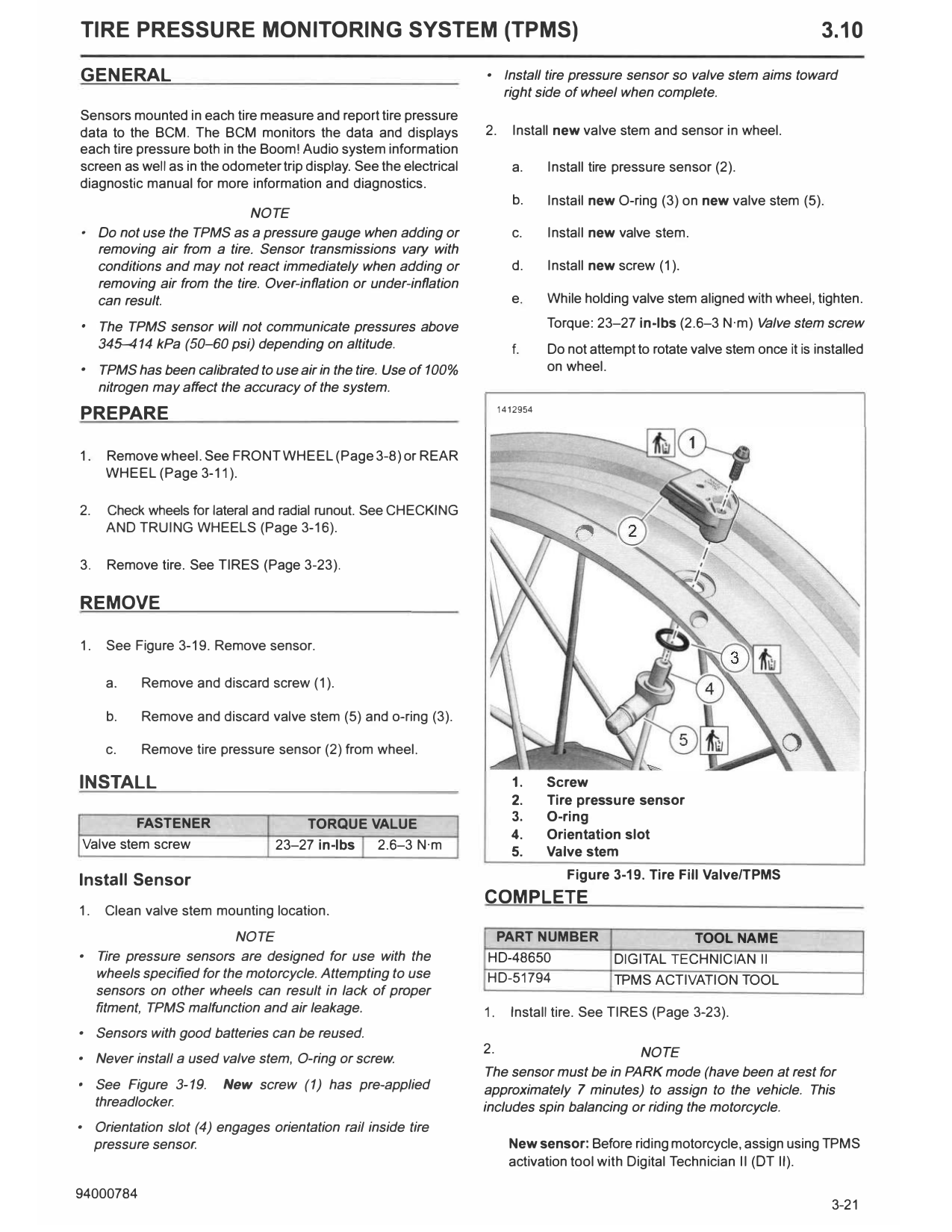
1.     See Figure 3-19. Remove sensor.

       a.    Remove and discard screw (1).

       b.    Remove and discard valve stem (5) and o-ring (3).

       c.    Remove tire pressure sensor (2) from wheel.

INSTALL                                                                     1.      Screw
                                                                            2.      Tire pressure sensor
             FASTENER                                                       3.      O-ring
                                       TORQUE VALUE
                                                                            4.      Orientation slot
    Valve stem screw               23-27 in-lbs 2.6-3 N·m                   5.      Valve stem

Install Sensor                                                                         Figure 3-19. Tire Fill Valve/TPMS
                                                                     COMPLETE
1.     Clean valve stem mounting location.
                            NOTE                                      PART NUMBER                         TOOL NAME
•    Tire pressure sensors are designed for use with the             HD-48650                  DIGITAL TECHNICIAN 11
     wheels specified for the motorcycle. Attempting to use          HD-51794                  TPMS ACTIVATION TOOL
     sensors on other wheels can result in lack of proper
     fitment, TPMS ma/function and air leakage.                      1.     Install tire. See TIRES (Page 3-23).
•    Sensors with good batteries can be reused.
                                                                     2.                       NOTE
•    Never install a used valve stem, O-ring or screw.
                                                                     The sensor must be in PARK mode (have been at rest for
•    See Figure 3-19.     New screw (1) has pre-applied              approximately 7 minutes) to assign to the vehicle. This
     threadlocker.                                                   includes spin balancing or riding the motorcycle.
•    Orientation slot (4) engages orientation rail inside tire
     pressure sensor.                                                       New sensor: Before riding motorcycle, assign using TPMS
                                                                            activation tool with Digital Technician II (OT II).

   Special Tool: TPMS ACTIVATION TOOL (HD-51794)    b.   Go to Toolbox> Vehicle Setup> TPMS> Configure.
   Special Tool: DIGITAL TECHNICIAN II (HD-48650)        Select sensor assignment.

   a.   Connect Digital Technician II to vehicle.   c.   Follow the on line instructions to configure system to
                                                         recognize sensors.